Twitch Queue Manager for OBS | Chat Joins a Waiting List by Itself | Browser Source
A downloadable assets
Runs in OBS, Streamlabs, StreamElements or Twitch Studio — it is plain HTML you add as a Browser Source, so it drops straight into whatever you already stream with (Windows or macOS). Anything that shows chat reads Twitch chat directly, with no account, no API key and no bot to invite; a comment tool such as OneComme is just one optional way to connect, while timers, boards and overlays run completely standalone.
Run viewer participation streams without repeatedly answering “whose turn is next?” This OBS queue manager turns ordinary public chat into a visible waitlist for multiplayer games, drawing requests, song requests, call-in sessions, coaching slots, and other first-come community activities. Viewers type `join` to enter and `leave` to remove themselves.
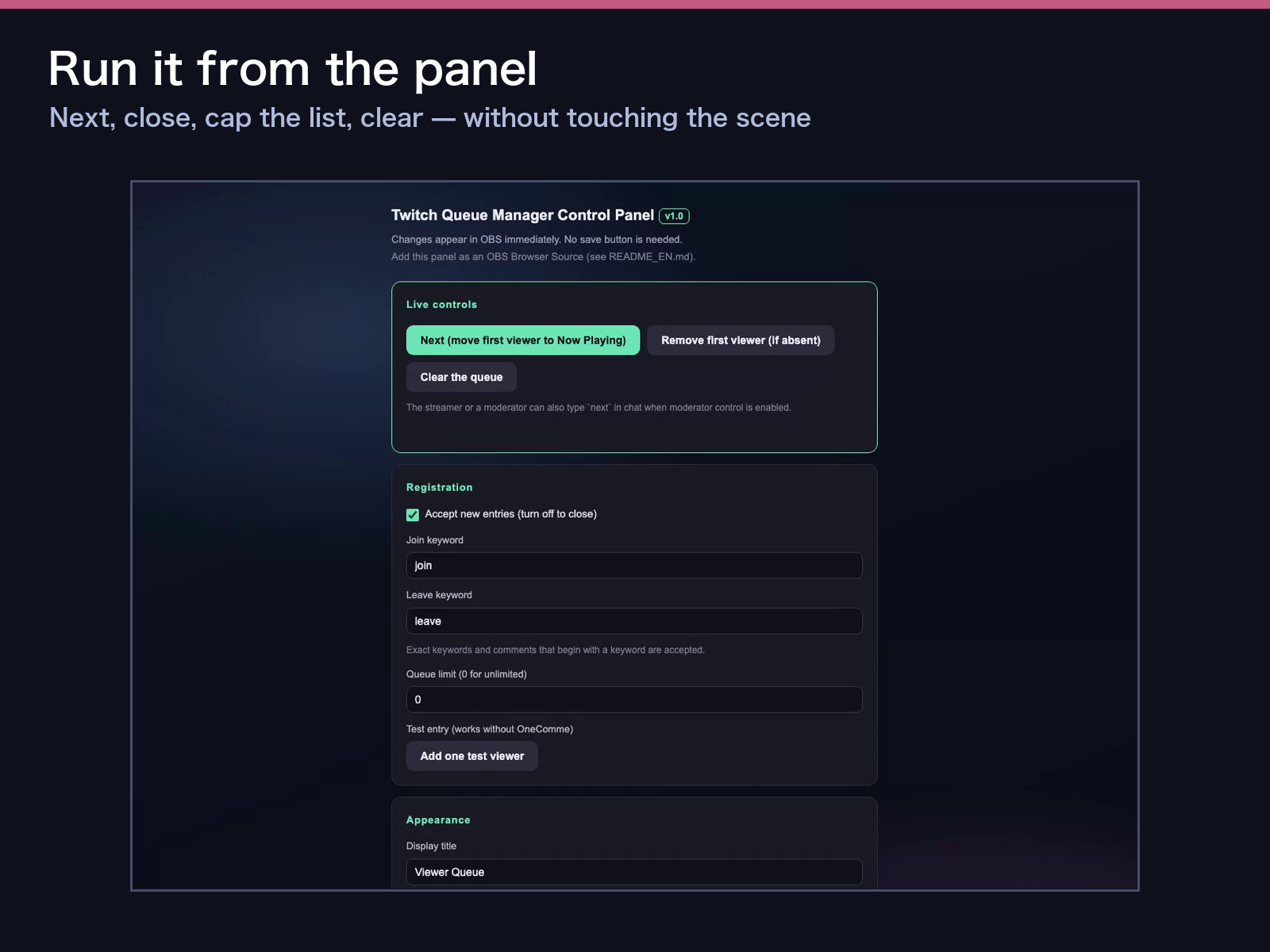
The download contains 1 queue display, 1 control panel, 1 Twitch-first entry, the original OneComme-compatible entry, and 8 visual themes: Night, Mint, Neon, Sakura, Sunset, Retro, Monochrome, and Pop. Controls include Next, remove first, clear queue, open or close registration, editable join and leave words, queue limit, visible row count, background opacity, and a test-entry button. Queue state is saved locally between OBS restarts.
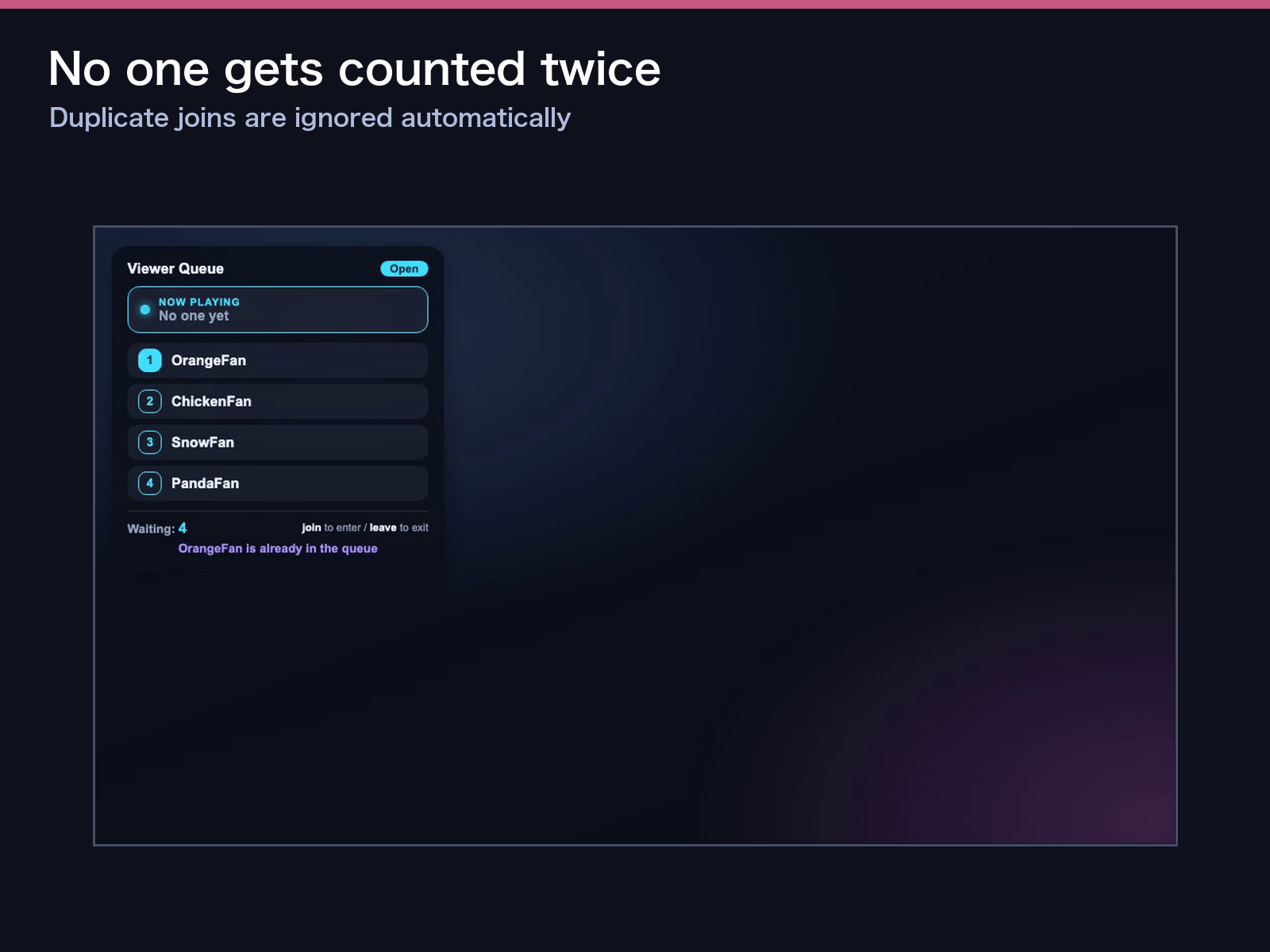
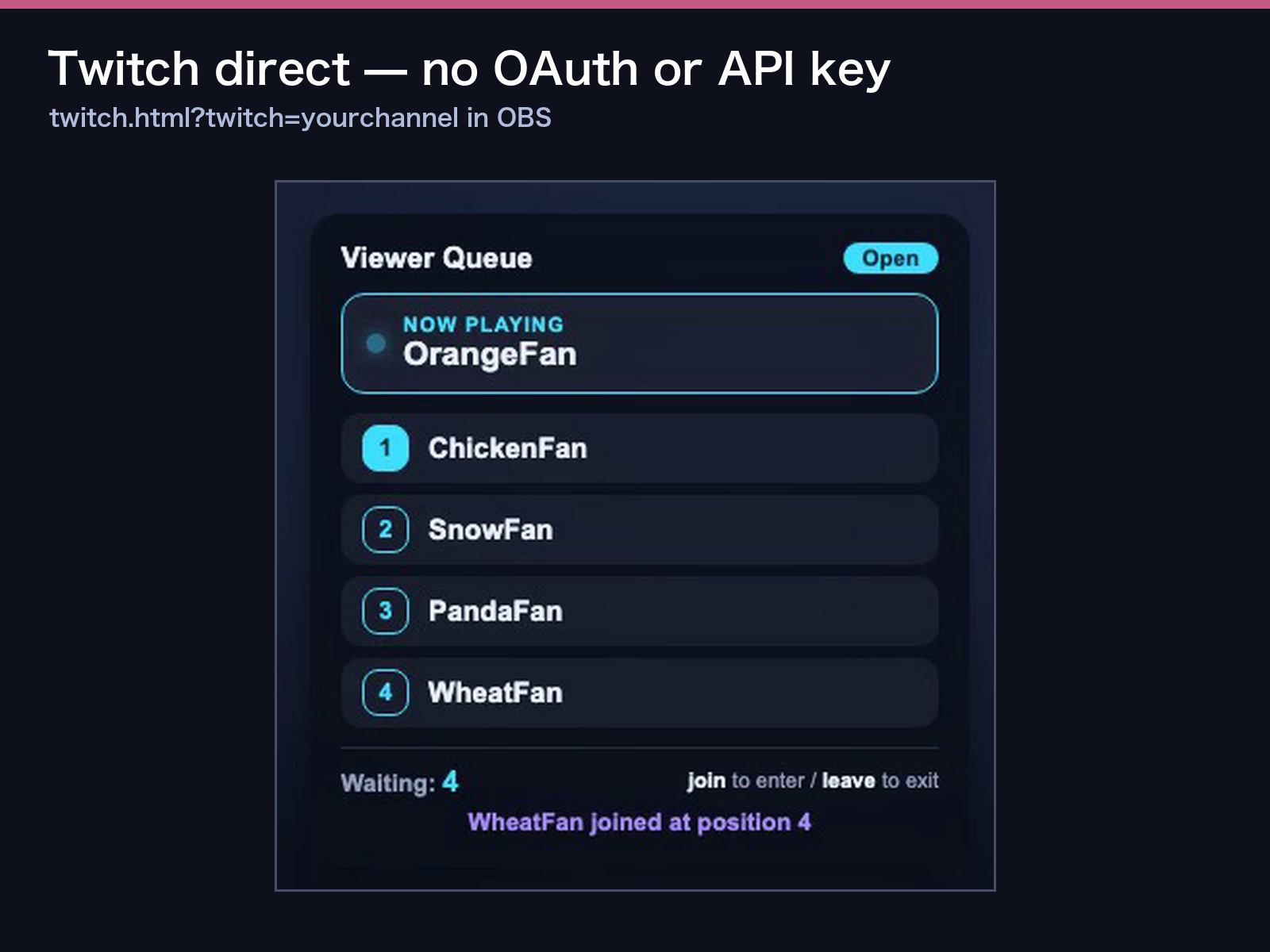
Setup takes three steps: (1) extract the complete ZIP without moving individual files, (2) add `twitch.html?twitch=yourchannel` as an OBS Browser Source at about 400×600 pixels, and (3) add `panel.html` as a second OBS Browser Source for control, then hide that panel source when it is not needed. Open `twitch.html?demo=1` to watch an English join, next, duplicate-entry block, and leave cycle before going live.
Requirements: OBS Studio Browser Source on Windows or macOS and an internet connection for Twitch direct mode. Settings and queue state stay in the local OBS browser storage. No hosted dashboard, separate account, or CDN is required.
Commercial and monetized streaming is allowed, and you may edit keywords, labels, colors, and source files for your own channel or business stream. Redistribution, resale, repackaging, and sharing the source files are not allowed.
For Twitch direct use, the dedicated page reads ordinary public chat through anonymous, read-only IRC without a Twitch account, API key, or OAuth token. It uses chat names and messages only. It does not retrieve concurrent viewer totals, likes, follows, subscription events, verified gifts, or profile images, and none of those unavailable signals are required by the queue.
For OneComme users, `view.html` and the local `lib/onecomme-connect.js` remain included. Use that entrance with the same panel to preserve the original OneComme workflow.
## itch tags (7)
twitch, obs, overlay, stream, widget, vtuber, User Interface (UI)
## Etsy tags (13)
Twitch overlay, OBS overlay, stream queue, viewer queue, queue manager, Twitch chat, streamer tools, VTuber overlay, browser source, chat widget, gaming stream, stream tool, Twitch widget
## Image copy (5)
1. TWITCH QUEUE MANAGER — Viewer Waitlist for OBS
2. Viewers type JOIN and LEAVE
3. 8 themes + a complete control panel
4. Twitch direct — no OAuth or API key
5. OneComme entry also included
Purchase
In order to download this assets you must purchase it at or above the minimum price of $5 USD. You will get access to the following files:

Leave a comment
Log in with itch.io to leave a comment.